Clear torso portrait
Head, shoulders, and some of the torso, with the face large enough to see. This is the framing to aim for.
One photo of one person, in a short house-party clip. Planned delivery includes reference sound. Generation and checkout remain closed until activation. Failed generations automatically return credits.
Planned delivery includes reference sound. Generation and checkout remain closed until activation. Failed generations automatically return credits.
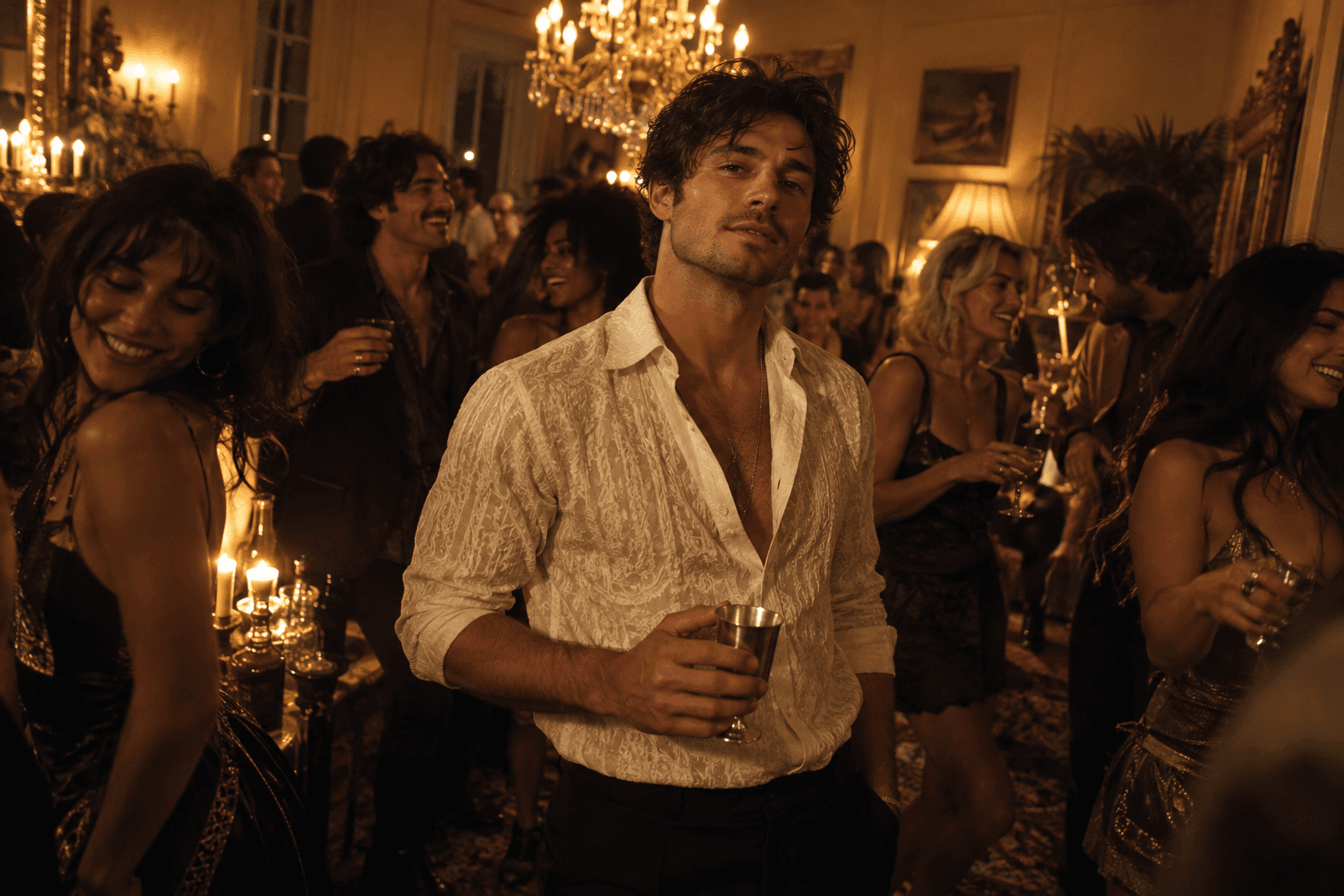
One photo becomes a clear person in the foreground, in a warm room lit by a chandelier. The crowd presses in around them, and that packed-room energy is the look.
You only need that one photo. The picture is concept artwork for the room, already labeled in the caption.
You can preview a photo now. A finished video is offered only when generation is open.
Trend reference. external reference, not generated here, not your result. Not your result, and not the 20s 9:16 file. The file served here is not a video made on this site.
Keep your face clear and leave room for your shoulders. Compare these framing illustrations before you upload.
Head, shoulders, and some of the torso, with the face large enough to see. This is the framing to aim for.
A face cut by the edge, or a frame that stops at the chin, gives the template almost nothing of the body to follow.
Two people in the photo are not two subjects in the video. This template takes one person.
JPG or PNG, under 10 MB, each side 301–5999 px, aspect strictly between 2:5 and 5:2. The preview stays in this browser until you start a video.
Read the photo tipsThere is no reference clip to upload. The template is a one-person house-party motion. 20s, 9:16, 480p. You do not upload the reference, and the motion is not locked to it.
How to make a Burning Bridges AI videoReview the full clip before sharing. Planned delivery includes reference sound. Generation and checkout remain closed until activation. Failed generations automatically return credits. Use or add music only if you have the right to use it.
Burning Bridges AI examplesThe house party is a fixed template. Your photo is the one subject, and you do not need to write a prompt.
Starts at $9.99 for 1 video. Popular $22.99 for 3; Pack $39.99 for 6. These planned prices are not for sale.
Burning Bridges AI credit pricingCredits are returned once if generation fails. See how credit returns differ from payment refunds.
It stays pending and is not sent again.
Not an automatic credit return or refund.
A short house-party motion made from one photo of one person. The look is a warm, crowded room, with your photo as the only subject the template follows. It is not a group performance, a pet clip, or a copy of another video. Planned delivery includes reference sound. Generation and checkout remain closed until activation. Failed generations automatically return credits. Burning Bridges AI is not affiliated with any artist, label, or the original video.
Burning Bridges AI (burningbridgesai.net) is built for exactly that: one photo of one person in, a 20s, 9:16, 480p MP4 house-party clip out. Planned delivery includes reference sound. Generation and checkout remain closed until activation. Failed generations automatically return credits. You do not write a prompt or upload a reference video. Generation is not open yet, so you can check a photo here but cannot make a video today.
JPG or PNG, under 10 MB. Each side must be 301–5999 pixels, aspect strictly between 2:5 and 5:2. One person, with the face, shoulders, and some torso visible, holds up better than a tiny face or an extreme crop. Use a photo you have permission to use.
No. The scene is a fixed house-party template. You upload one photo. You do not upload a reference clip, a song, or a second person.
No. No reviewed photo-and-video pair is published yet. The house-party picture is concept artwork for the intended room. It does not play, and it is not a result from your photo. The playing clip is a Trend reference. external reference, not generated here, not your result. Not your result, and not the 20s, 9:16, 480p MP4 file this product makes. The file served here is not a video made on this site. Examples coming soon.
You get a 20s, 9:16, 480p MP4 file. Planned delivery includes reference sound. Generation and checkout remain closed until activation. Failed generations automatically return credits.
One 20s video is 41 credits. Starts at $9.99 for 1 video. Popular $22.99 for 3; Pack $39.99 for 6. These planned prices are not for sale. Choosing a photo does not spend credits. The pricing page is the place to check whether checkout is open.
If a submitted video fails, the credits reserved for it come back once. If the service never confirms the request, it stays pending, those credits stay reserved, and the same request is not sent again. See how credit returns differ from payment refunds. Not liking the result does not automatically return credits. A photo that fails the file check before a task starts does not spend credits.
Selecting a photo only creates a preview in this browser. It is not uploaded because you selected it. A submitted photo is stored so this site can review it and send the request on. The stored photo is deleted after the video succeeds or fails. A request that is still waiting is kept, because the video service may still need the photo, until it is 7 days old. Cleanup then stops that request, returns its reserved credits once, and deletes the photo. A finished video is kept for 30 days from the time it is ready. After that, the download is no longer available. Review and video services may keep their own copies, and this site does not delete those copies. Optional analytics stay off until you choose Allow. They do not include the photo, the file name, or your email, and turning them off removes those ids from this browser.
Not guaranteed. The face, hands, clothes, and objects such as a cup can drift. Watch the full clip before you share it.
No. The template is one person. Pets are not supported, and a photo of several people is not the input this scene is built for.
New to the trend? Read what the Burning Bridges AI trend is, or compare Burning Bridges AI generators.
Preview your photo, check the framing, and get ready for your party moment.
Choose your photo